

Why shops switch
Sound familiar?
The cash never matches the till
Nobody knows whether the shortfall was a wrong change, a missed sale or something worse.
Stock runs out before anyone notices
Your best seller is gone and the reorder only happens when a customer asks for it.
Credit lives in an exercise book
Regulars buy on account, the book gets lost, and the balance becomes an argument.
Month-end is a guessing game
You are busy every day, yet you cannot say whether the shop actually made money last month.
M-PESA, cash and card in three places
Customers pay half and half, and reconciling the phone, the drawer and the card slips takes an evening.
Everyone can do everything
Any cashier can delete a sale or change a price, and nothing shows who did it.
How it works
From empty shelves to closing report in four steps
1. Set up your catalogue
Items with cost, price, VAT class and reorder level. Categories, bundles and price tiers. Print barcode labels for anything without one.
2. Open the register
Start a shift with an opening cash float. Each cashier signs in with their own role. Works on a laptop, tablet or touch-screen till.
3. Sell
Scan, search or tap products into the order. Take cash, M-PESA, card or Paybill, or split them. Put it on account, or redeem a gift card or loyalty points.
4. Close and review
Count the drawer: the X/Z report shows any variance. Daily sales, payments by method and low stock. P&L, balance sheet, cashbook and ledger.
eTIMS and M-PESA at the till
Every sale is submitted to KRA through eTIMS as it happens, and the receipt prints with the control number and QR code. STK push sends the M-PESA prompt to the customer’s phone, and Paybill and Till (C2B) payments match to the sale automatically.
- eTIMS invoice on every sale, with the QR code on the receipt
- M-PESA STK push from the register
- Paybill and Till (C2B) payments matched to the sale
- Cash, M-PESA and card in one sale
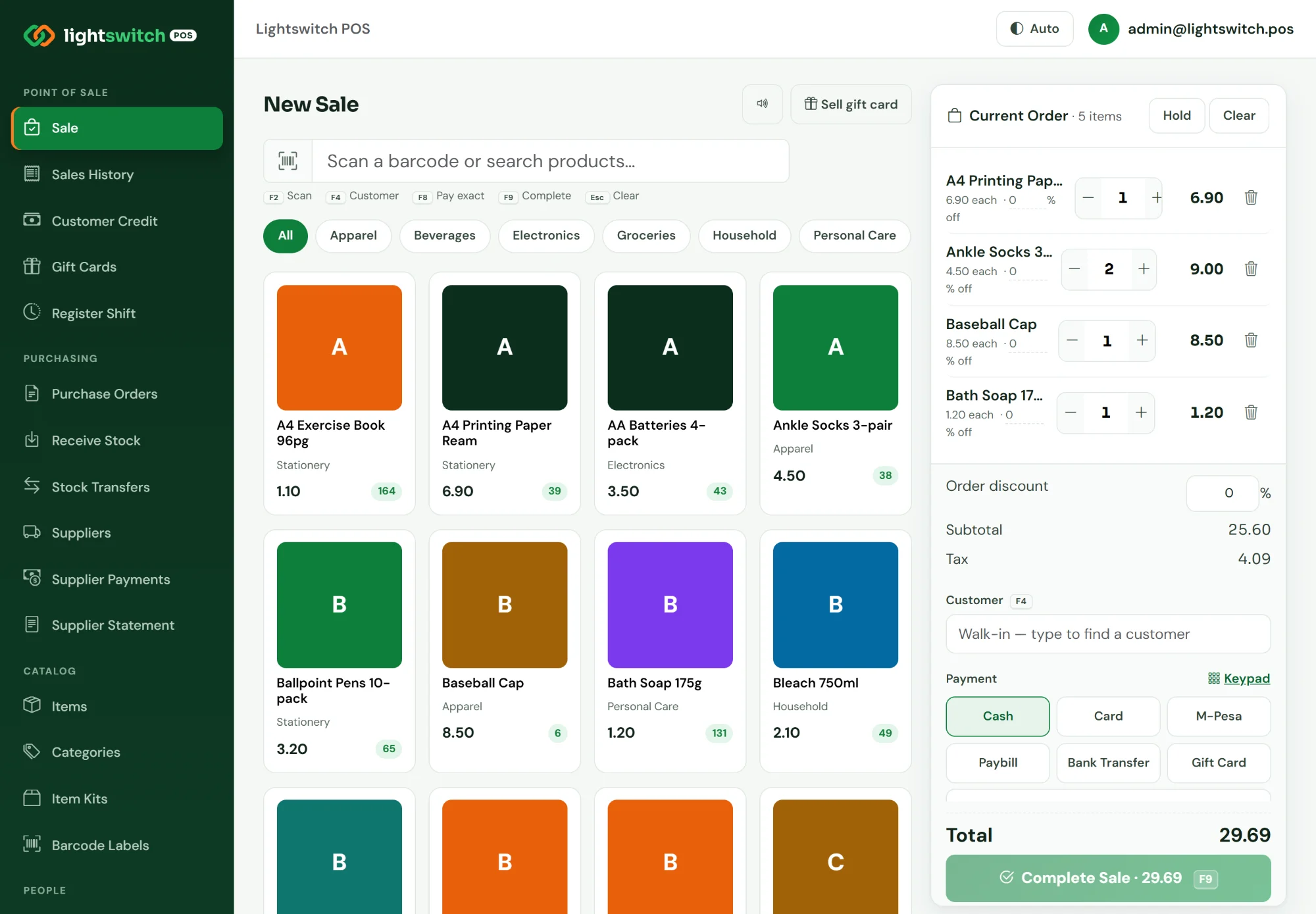
A checkout your cashiers learn in one shift
Tap products from a grid filtered by category, or scan the barcode. The order builds on the right with VAT, discounts and the total always in view.
- Split a bill across cash, M-PESA, card, Paybill, bank transfer and gift card
- Per-line and whole-order discounts
- Hold a sale and resume it when the customer comes back
- Keyboard shortcuts and an on-screen keypad for touch tills
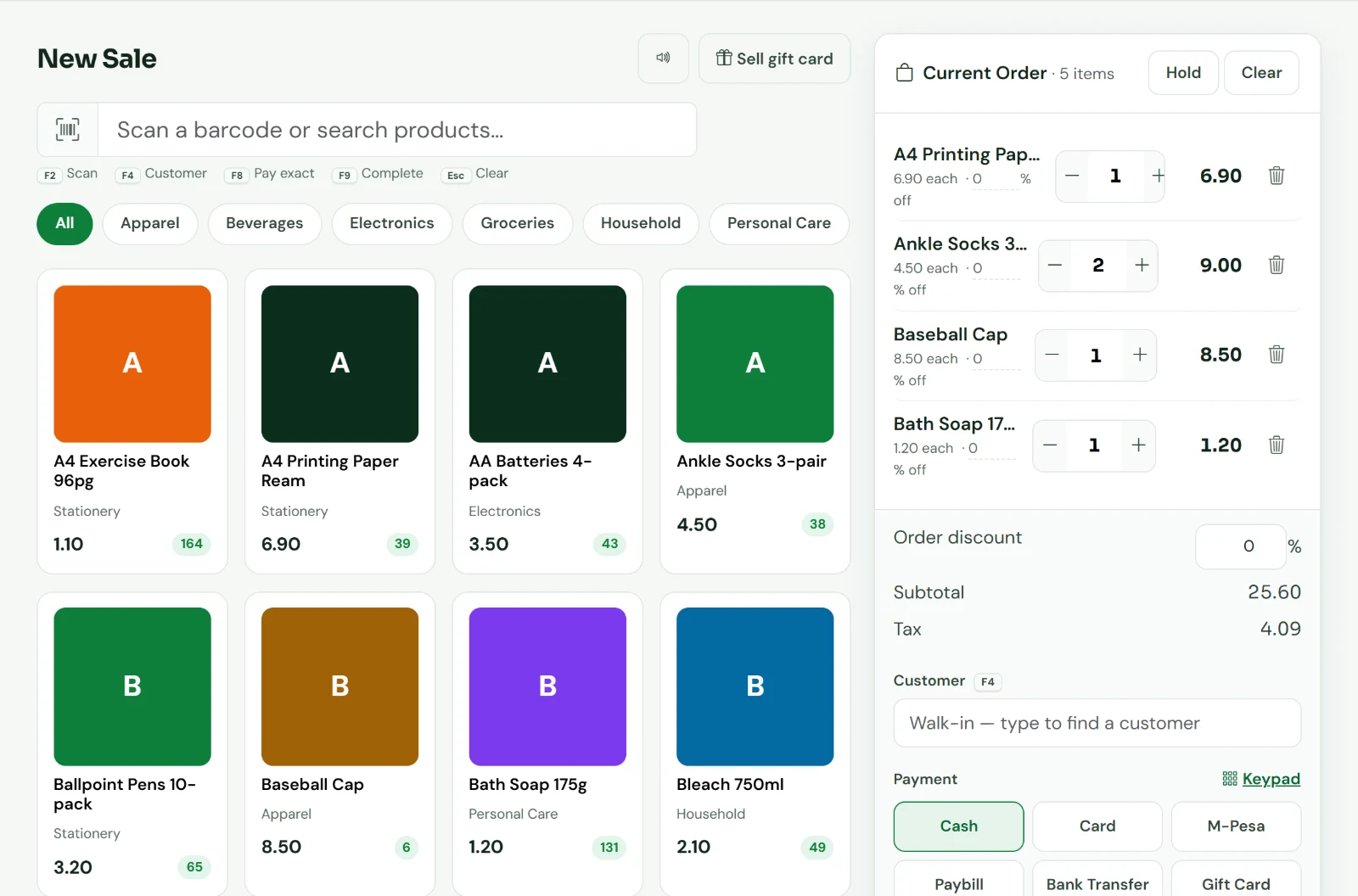
See today’s trading before you lock up
Pick any date range and get sales, revenue, VAT collected and profit at the top, with the day-by-day detail underneath.
- Daily sales with revenue and profit per day
- Payments by method, so the M-PESA statement and the drawer reconcile
- Low-stock list with what is already at zero
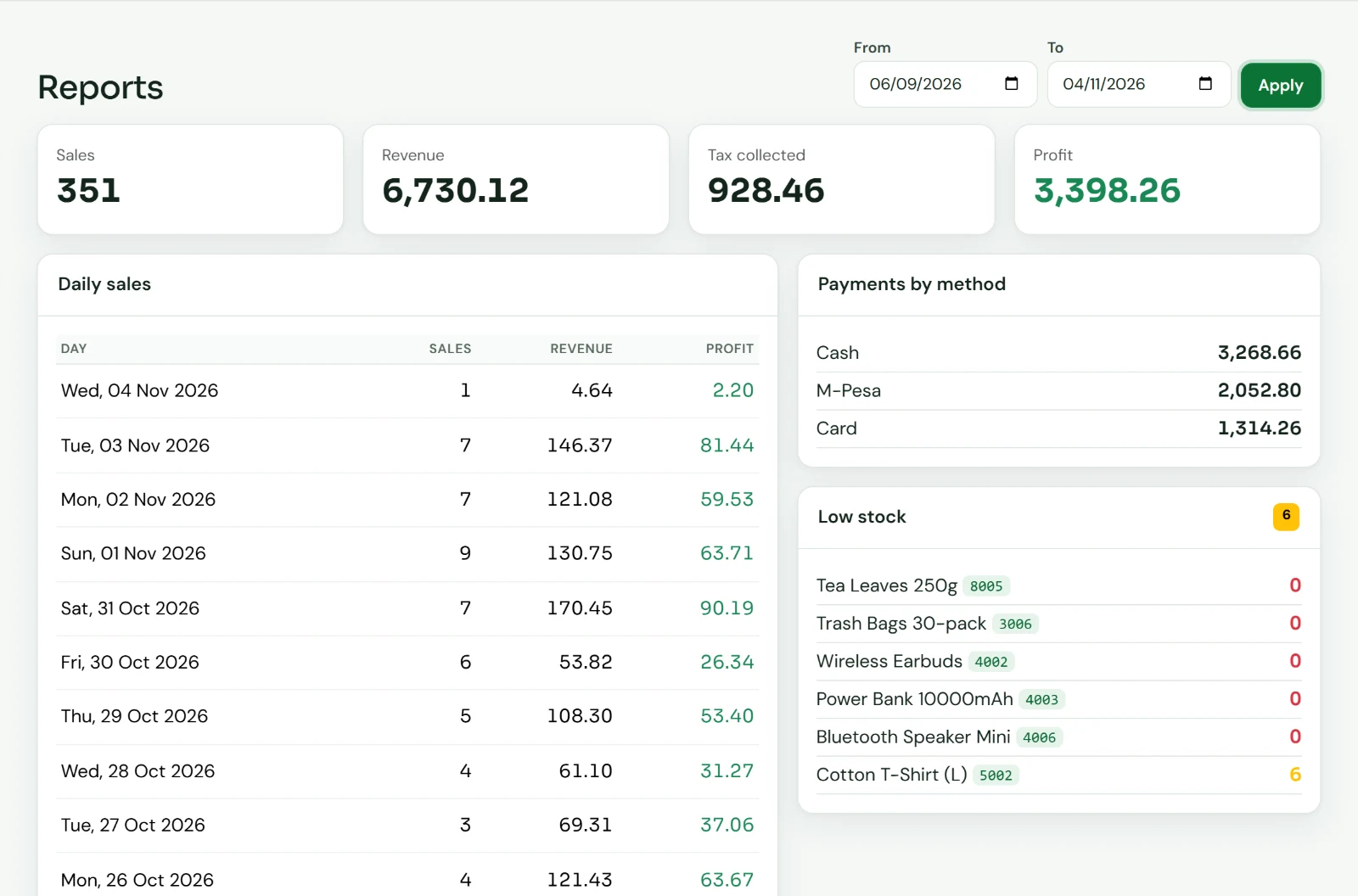
Know what is on the shelf without walking to it
Every sale takes stock off and every delivery puts it back, at the new cost. Items at or below their reorder level are flagged.
- Receive stock from suppliers, paid now or on account
- Purchase orders with manager approval
- Transfer stock between branches
- Supplier payments, statements and an A/P aging
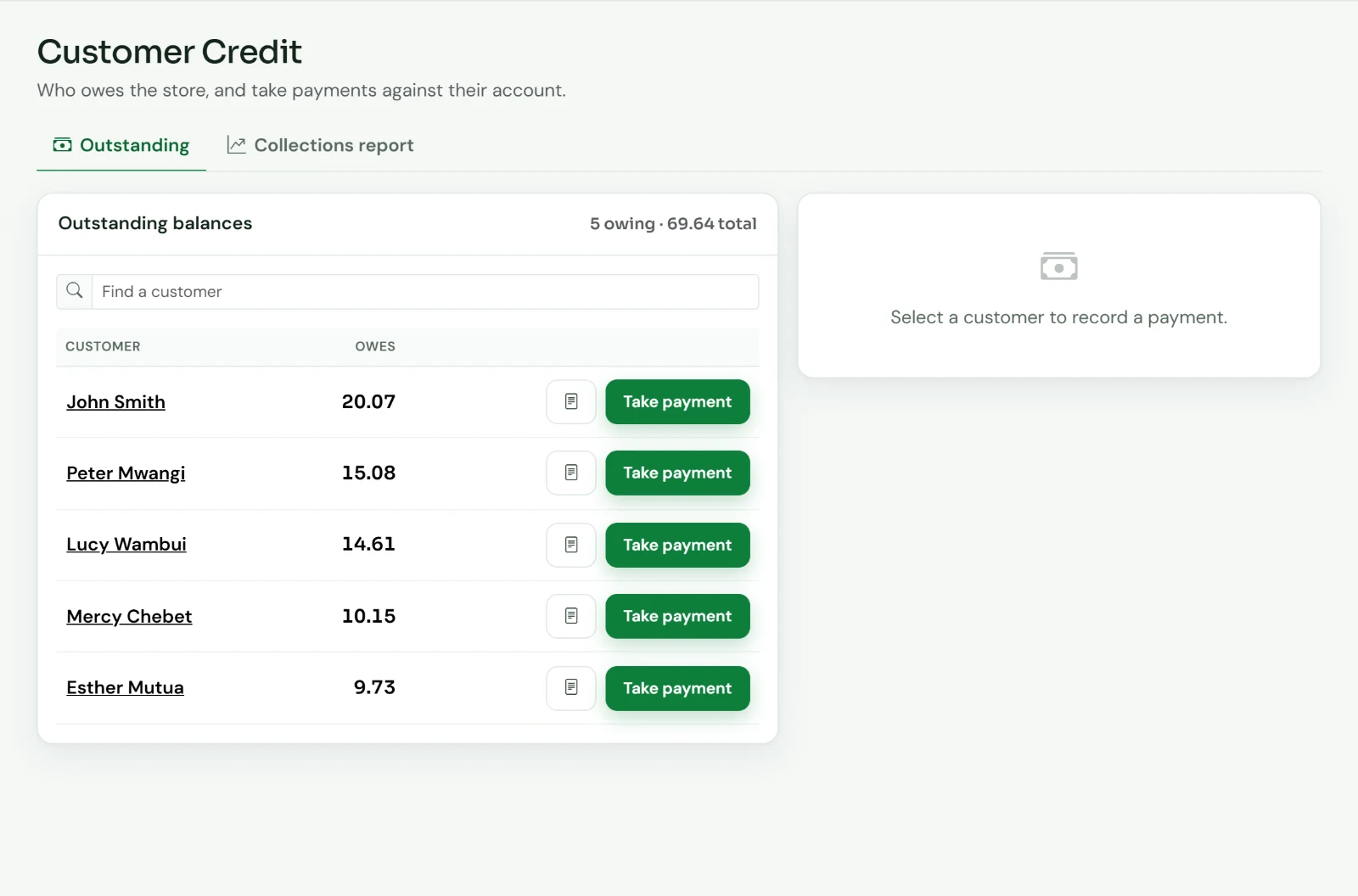
Sell on account and actually get paid
When a registered customer pays less than the total, the balance goes on their account. You see who owes what, take payments against it and print a statement.
- Walk-in customers can’t run up credit
- Collections report by date, time and payment mode
- Export to CSV or Excel, or print
- Loyalty points and gift cards as tenders
Books that balance, without a second system
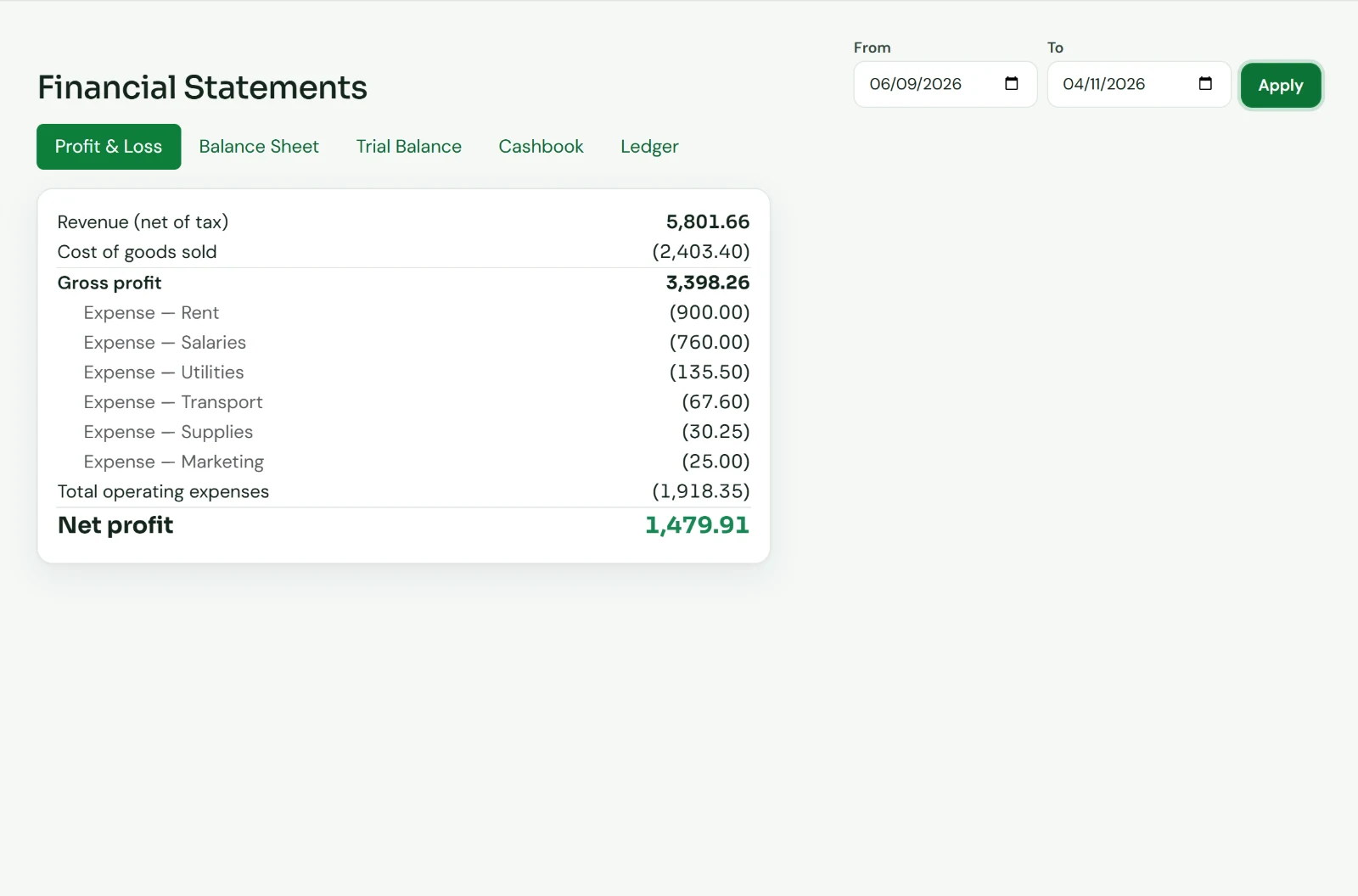
Sales, expenses, deliveries and supplier payments post to a double-entry ledger automatically. Your accountant gets real statements, not a spreadsheet to rebuild.
- Profit and loss, balance sheet and trial balance
- Cashbook and full ledger
- Separate accounts for cash, M-PESA, card and bank
- Record and categorise expenses: rent, salaries, utilities
Every shilling accounted for
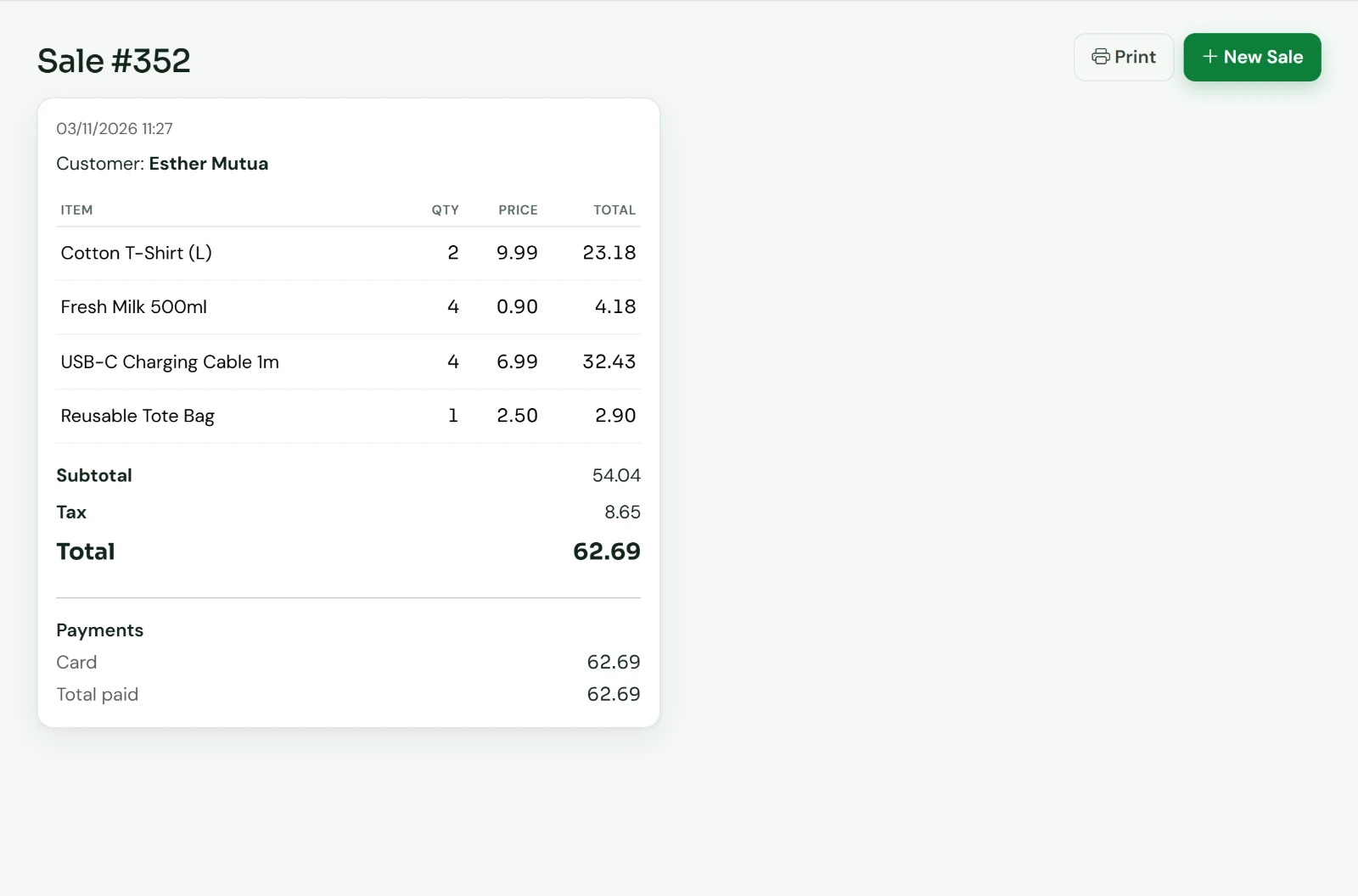
Each sale keeps its items, VAT, customer and how it was paid. Mistakes are voided, never deleted, and the stock goes back on the shelf.
- Itemised, printable receipts
- Sales history with void and automatic restock
- Open and close register shifts with an X/Z report and cash variance
Switch on only what your shop needs
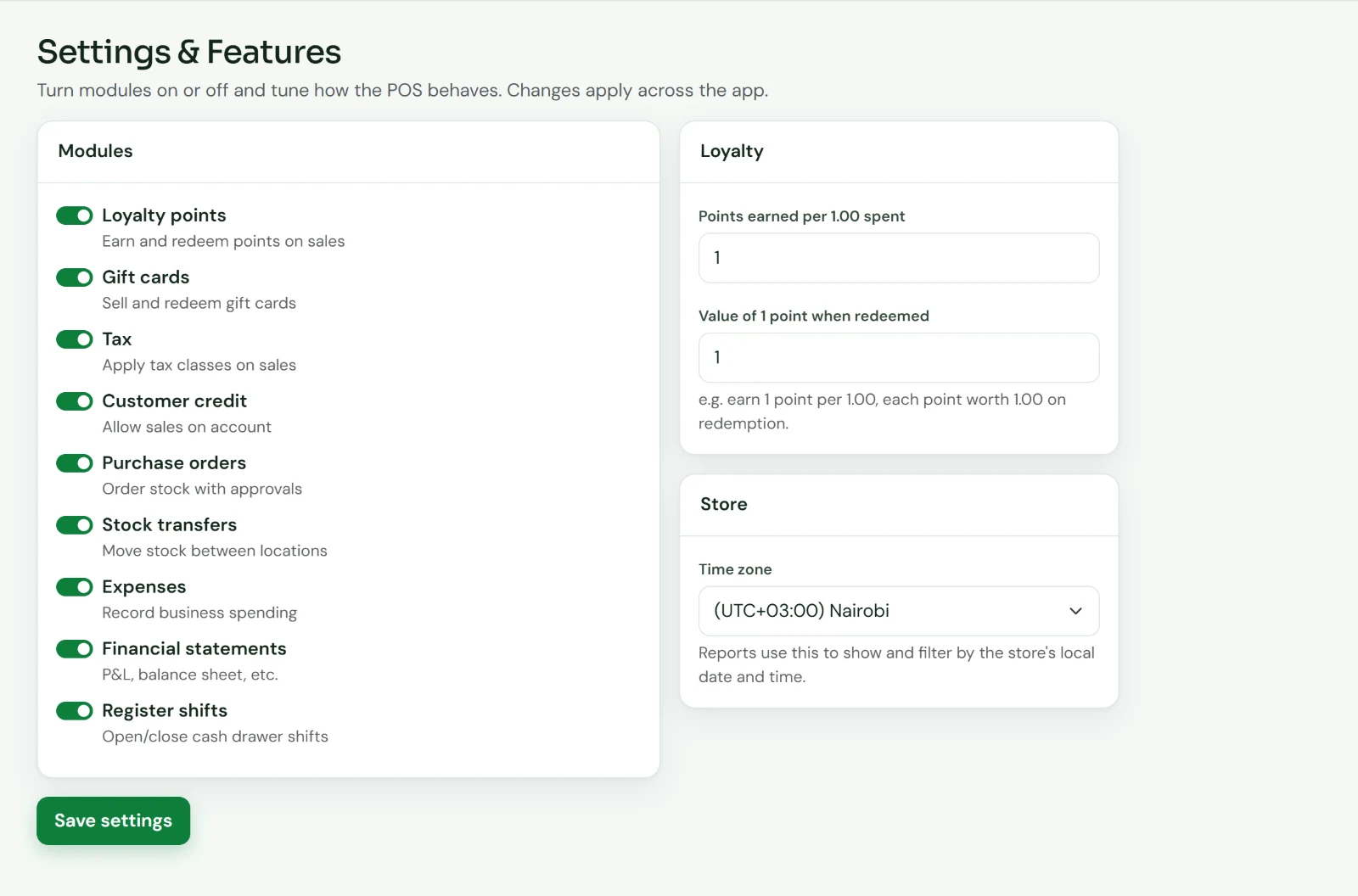
A small kiosk doesn’t need purchase orders. A supermarket does. Turn modules on or off and the menus and screens follow.
- Loyalty, gift cards, customer credit, purchase orders, stock transfers, expenses, financial statements and shifts
- Set how many points a sale earns and what a point is worth
- Light and dark mode for long shifts
Who it's for
Made for the shops that keep Kenya running
Mini-marts and supermarkets
Fast scanning at busy hours, hundreds of items, VAT on every line and a clear daily close.
Hardware and electrical
Contractors on account, bulk price tiers, and deliveries received straight into stock.
Boutiques and apparel
Gift cards, loyalty points and bundles that bring regulars back.
Electronics and phone shops
Higher-value stock you need to count, with every movement on record.
Stationery and bookshops
Back-to-school rushes, school accounts on credit and labels for every shelf.
Retailers with more than one branch
Several locations and registers, stock transfers between them and one set of books.
Control
Your shop, your rules, a clear record
Roles for every member of staff
Cashiers sell. Managers approve purchase orders. Only admins change the setup.
Voided, never deleted
A cancelled sale stays on record as void, with the stock and the credit reversed.
Books that always balance
Every transaction posts both sides, so the trial balance and balance sheet tie out.
A trail of who did what
Sign-ins, voids and staff role changes are logged. Repeated wrong passwords lock the account.
Compare
Why not the exercise book?
| Feature | Lightswitch POS | Book and calculator | Basic cash register |
|---|---|---|---|
| eTIMS invoice on every sale | Yes | No | Partly |
| M-PESA STK push at the till | Yes | No | No |
| Split one sale across cash, M-PESA and card | Yes | No | Partly |
| Stock reduced on every sale | Yes | No | No |
| Low-stock list | Yes | No | No |
| Customer credit with statements | Yes | By hand | No |
| Shift close with cash variance | Yes | By hand | Partly |
| P&L and balance sheet | Yes | No | No |
| Separate staff roles | Yes | No | Partly |
| Support in Nairobi | Yes | No | Varies |
A general comparison of approaches, not a review of any named product.
FAQ
Lightswitch POS questions
What hardware do I need?
Any computer or tablet with a modern browser: Chrome, Edge, Safari or Firefox. A USB or Bluetooth barcode scanner works out of the box because it types like a keyboard. Receipts and barcode labels print from the browser to your printer.
Is the POS eTIMS compliant?
Yes. Every sale is submitted to KRA through eTIMS and the receipt carries the control number and QR code.
Which M-PESA options does it support?
STK push at the till, plus Paybill and Till number (C2B) payments matched to the sale automatically.
Does it need internet?
Yes. Lightswitch POS runs online so every till, branch and report sees the same figures straight away. A basic mobile data bundle is enough for a counter.
Can it reconcile with the bank?
Yes. Card, bank transfer and M-PESA takings post to their own accounts in the books, so the bank and M-PESA statements reconcile against the payments report.
Can I use it in more than one shop?
Yes. Set up several locations, each with its own registers, and move stock between them with transfers. Sales, credit and the financial statements come together in one place.
Can my accountant use the reports?
Yes. The profit and loss, balance sheet, trial balance, cashbook and ledger come from a double-entry record of every sale, purchase, payment and expense. The collections report exports to CSV and Excel.
Where is my data kept, and who owns it?
Your data is yours. Each shop has its own database on a secured server, and we can export your records whenever you ask.
Free demo
Get your Lightswitch POS demo access
Send the form and we'll email you the demo link and sign-in straight away. We'll also call you to arrange a guided walk-through, by Zoom, phone or at your premises.
- 0724776933
- WhatsApp us
- hello@lightswitch.co.ke
- 51 Lenana Rd, Block A, Suite A4, Nairobi Kenya
- Mon–Fri 8:00–17:00